Do I need to re-record my video to add zoom?
No. FrameFocus helps you add zoom moments after the recording is already made.
Resumo
Zoom in on a screen recording after recording. Sometimes you only notice after recording that the important part of your screen is too small. FrameFocus helps you fix that by adding zoom-in moments exactly where viewers need more detail. Tiny buttons and UI details get lost, especially on phones. Post-recording zoom edits solve this without reshooting. Casos típicos: Fix unclear product demos, Improve mobile readability, Highlight code snippets, Clarify support instructions. Este guia explica como o FrameFocus, editor web de zoom para tela, ajuda a publicar demos e tutoriais mais claros.
Tiny buttons and UI details get lost, especially on phones. Post-recording zoom edits solve this without reshooting. O FrameFocus resolve no navegador com clique para focar: você marca a região exata, ajusta tempo e força do zoom e exporta sem timeline pesada. It works well for product demos, tutorials, lessons,.
Tiny buttons and UI details get lost, especially on phones. Post-recording zoom edits solve this without reshooting.
Adicione zoom suave, mostre onde olhar e melhore tutoriais sem gravar de novo.
Fix unclear product demos
Improve mobile readability
Highlight code snippets
Clarify support instructions
Marque início e fim do zoom na prévia. Faixas âmbar na timeline mostram cada segmento.
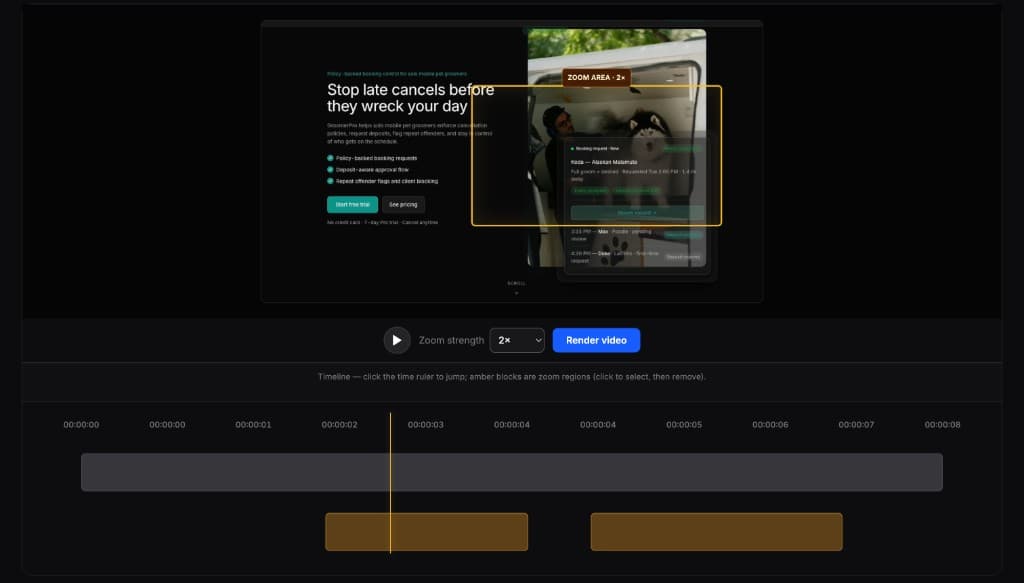
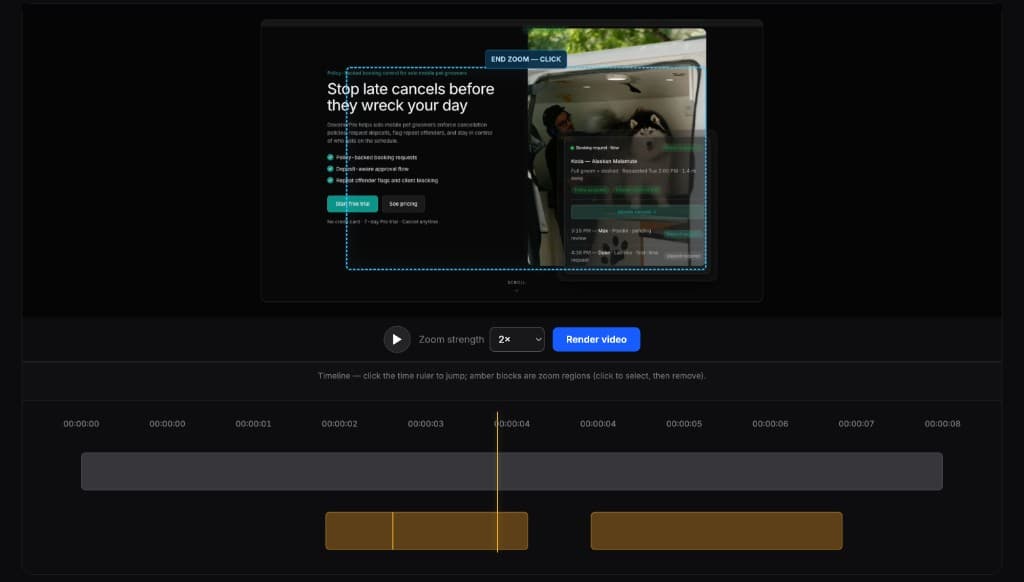
Editores completos são poderosos demais para esta tarefa. O FrameFocus serve a demos e tutoriais que precisam só de zoom.
No. FrameFocus helps you add zoom moments after the recording is already made.
Yes. Zooming into important screen areas can make tutorials and demos easier to understand on smaller screens.
Adicione zoom suave e publique demos e tutoriais mais claros.