Is FrameFocus a full tutorial video editor?
FrameFocus is focused on zoom editing for screen recordings. It is best for creators who want to make tutorials clearer without using a complex editor.
Resumo
A simple video editor for tutorials. If your tutorial is mostly a screen recording, you may not need a full production editor. FrameFocus focuses on one important job: helping viewers see exactly what you are explaining. Complex editors add overhead when your main need is simple zoom clarity. Casos típicos: Tutorial lesson updates, Creator workflows, Course video polishing, Screen-based explainers. Este guia explica como o FrameFocus, editor web de zoom para tela, ajuda a publicar demos e tutoriais mais claros.
Complex editors add overhead when your main need is simple zoom clarity. O FrameFocus resolve no navegador com clique para focar: você marca a região exata, ajusta tempo e força do zoom e exporta sem timeline pesada. It works well for product demos, tutorials, lessons, and customer support videos..
Complex editors add overhead when your main need is simple zoom clarity.
Adicione zoom suave, mostre onde olhar e melhore tutoriais sem gravar de novo.
Tutorial lesson updates
Creator workflows
Course video polishing
Screen-based explainers
Marque início e fim do zoom na prévia. Faixas âmbar na timeline mostram cada segmento.
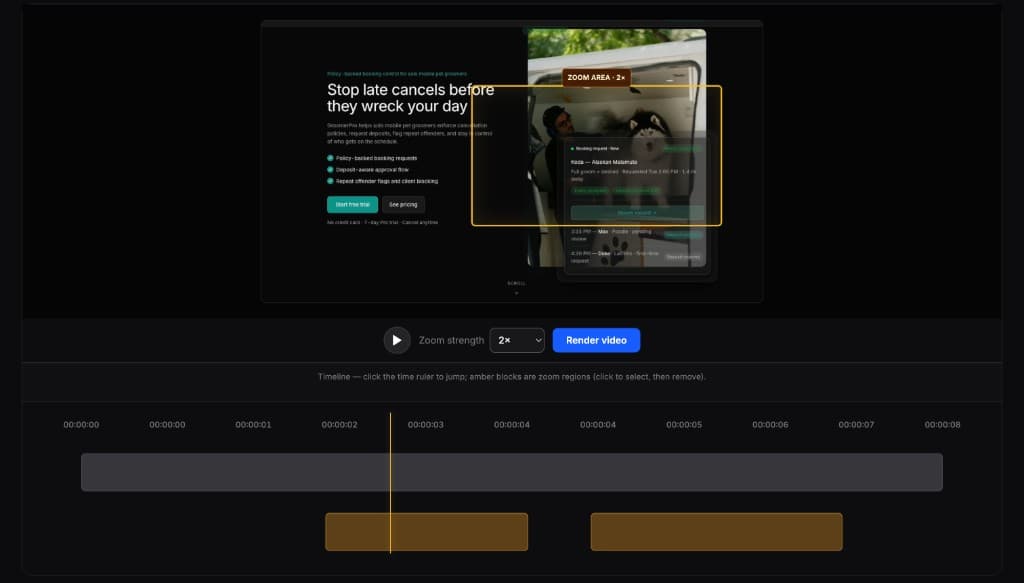
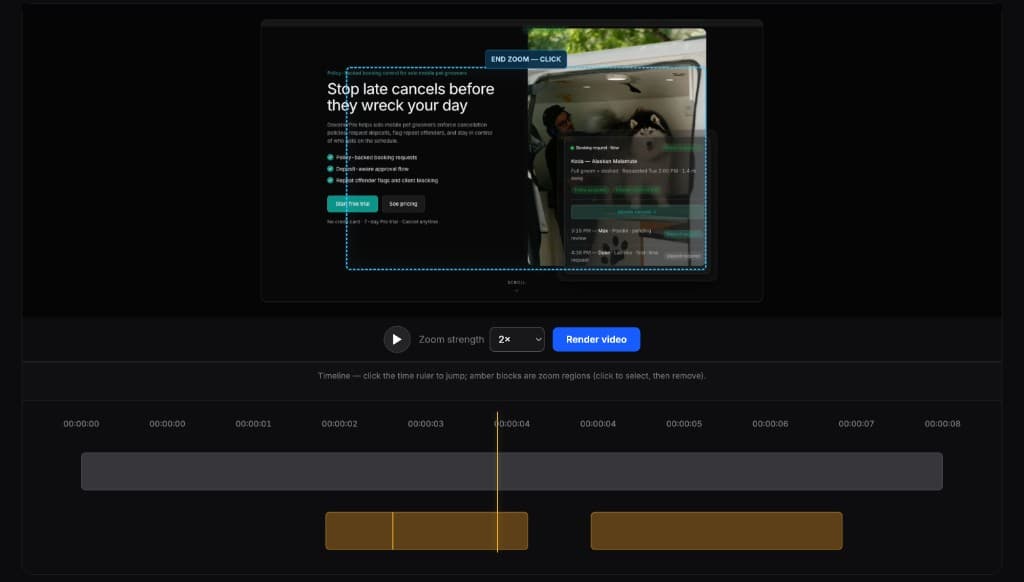
Editores completos são poderosos demais para esta tarefa. O FrameFocus serve a demos e tutoriais que precisam só de zoom.
FrameFocus is focused on zoom editing for screen recordings. It is best for creators who want to make tutorials clearer without using a complex editor.
You can use it for software tutorials, coding tutorials, design tutorials, productivity tutorials, and online course lessons.
Adicione zoom suave e publique demos e tutoriais mais claros.