Can FrameFocus help with help center videos?
Yes. FrameFocus can make help center walkthroughs easier to follow by highlighting the exact area customers need to see.
Resumo
Support video editor for customer walkthroughs. Support videos should reduce confusion, not create more questions. FrameFocus helps you make walkthroughs clearer by zooming into the exact step customers need to follow. Support recordings often miss critical click locations. Zoom moments reduce repeat tickets and confusion. Casos típicos: Show customers where to click, Explain account settings, Walk through troubleshooting, Clarify help center videos. Este guia explica como o FrameFocus, editor web de zoom para tela, ajuda a publicar demos e tutoriais mais claros.
Support recordings often miss critical click locations. Zoom moments reduce repeat tickets and confusion. O FrameFocus resolve no navegador com clique para focar: você marca a região exata, ajusta tempo e força do zoom e exporta sem timeline pesada. It works well for product demos, tutorials, lessons, and customer support.
Support recordings often miss critical click locations. Zoom moments reduce repeat tickets and confusion.
Adicione zoom suave, mostre onde olhar e melhore tutoriais sem gravar de novo.
Show customers where to click
Explain account settings
Walk through troubleshooting
Clarify help center videos
Reduce repeated support questions
Marque início e fim do zoom na prévia. Faixas âmbar na timeline mostram cada segmento.
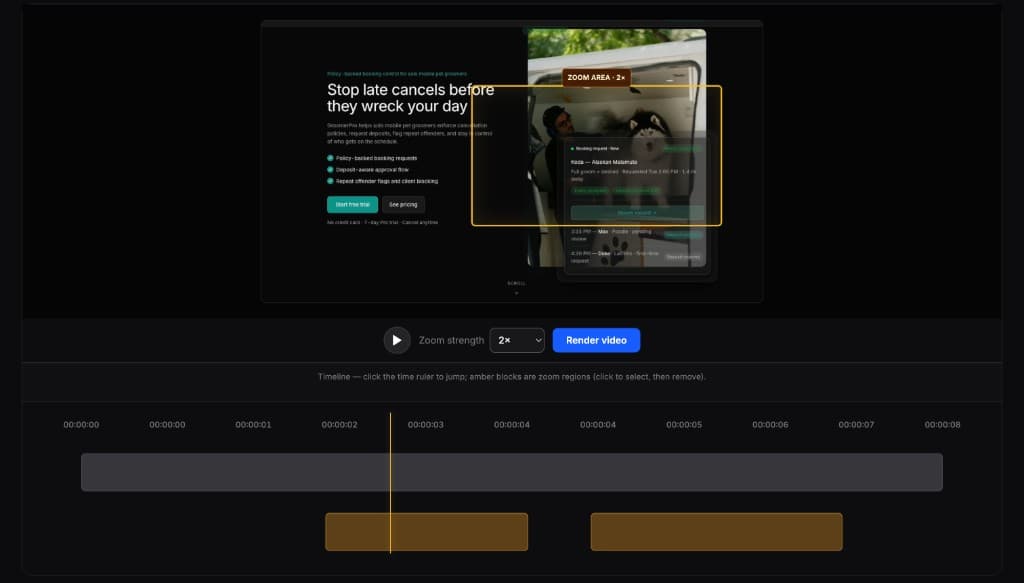
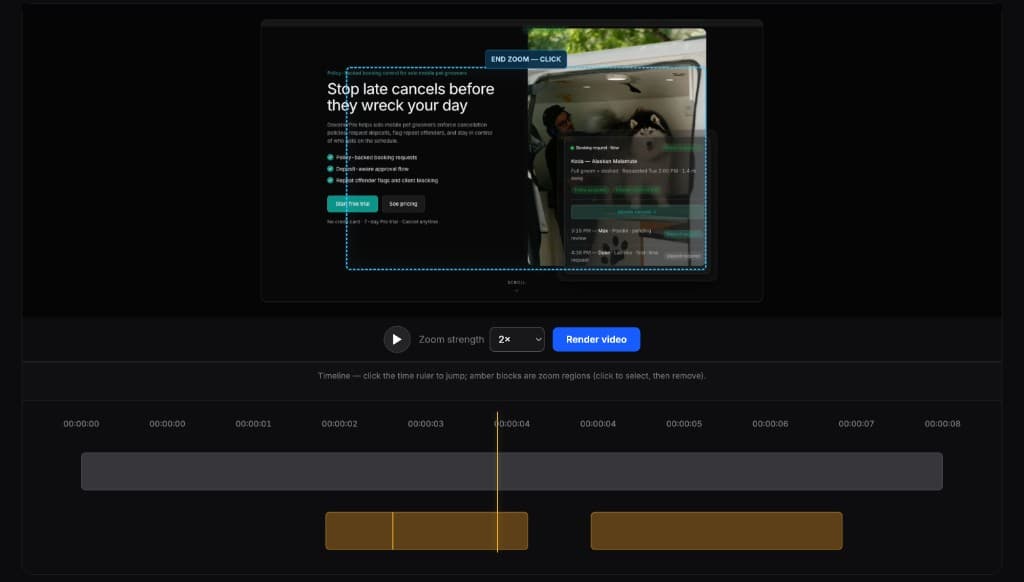
Editores completos são poderosos demais para esta tarefa. O FrameFocus serve a demos e tutoriais que precisam só de zoom.
Yes. FrameFocus can make help center walkthroughs easier to follow by highlighting the exact area customers need to see.
Yes. Customer success teams can use FrameFocus to create clearer onboarding and support walkthroughs.
Adicione zoom suave e publique demos e tutoriais mais claros.