What makes a screen recording hard to follow?
Screen recordings become hard to follow when the important detail is too small, too far from the cursor, or surrounded by too much visual noise.
Resumo
Make screen recordings easier to follow. A screen recording can be technically correct but still hard to watch. FrameFocus helps you guide your viewer’s attention so they always know where to look. Unclear recordings force viewers to replay and guess. Focus moments remove that friction. Casos típicos: Product demos, How-to videos, Lesson recordings, Support walkthroughs. Este guia explica como o FrameFocus, editor web de zoom para tela, ajuda a publicar demos e tutoriais mais claros.
Unclear recordings force viewers to replay and guess. Focus moments remove that friction. O FrameFocus resolve no navegador com clique para focar: você marca a região exata, ajusta tempo e força do zoom e exporta sem timeline pesada. It works well for product demos, tutorials, lessons, and customer support videos..
Unclear recordings force viewers to replay and guess. Focus moments remove that friction.
Adicione zoom suave, mostre onde olhar e melhore tutoriais sem gravar de novo.
Product demos
How-to videos
Lesson recordings
Support walkthroughs
Marque início e fim do zoom na prévia. Faixas âmbar na timeline mostram cada segmento.
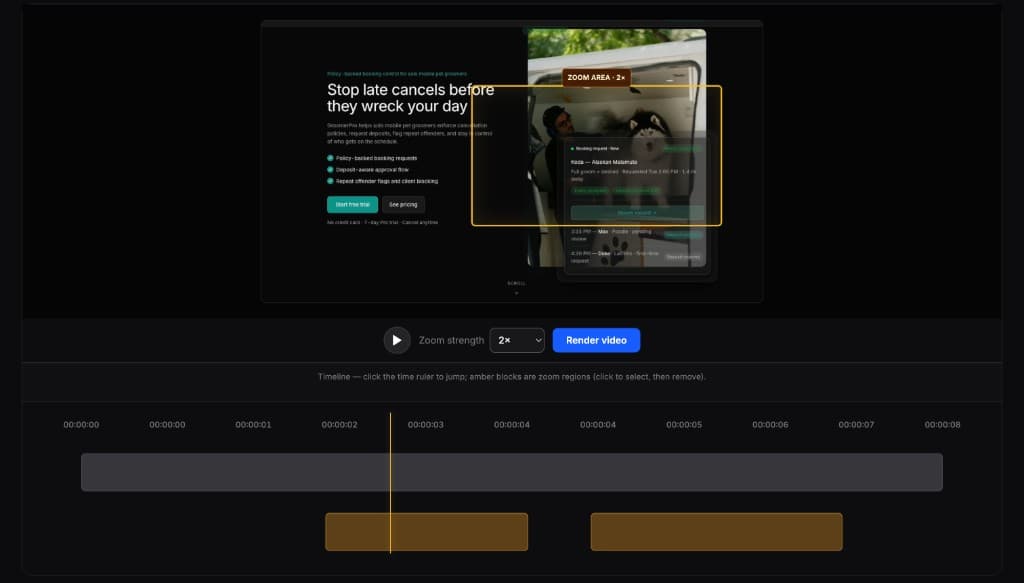
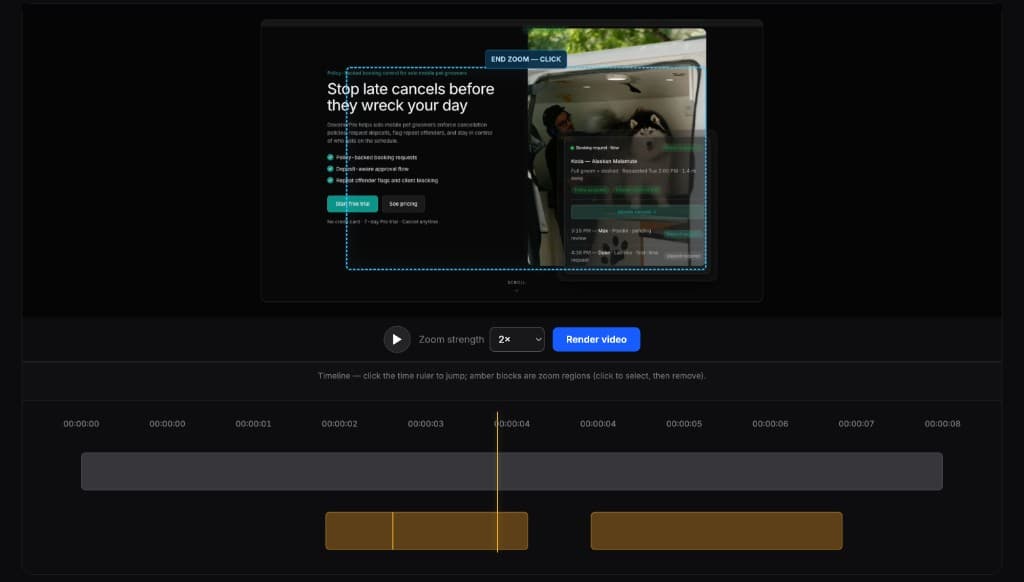
Editores completos são poderosos demais para esta tarefa. O FrameFocus serve a demos e tutoriais que precisam só de zoom.
Screen recordings become hard to follow when the important detail is too small, too far from the cursor, or surrounded by too much visual noise.
FrameFocus lets you add zoom moments that focus attention on the most important part of the screen.
Adicione zoom suave e publique demos e tutoriais mais claros.