Is FrameFocus useful for YouTube tutorials?
Yes. FrameFocus can make YouTube tutorials easier to watch by zooming into important screen details.
Resumo
Tutorial video zoom editor. Tutorial videos need clarity. FrameFocus helps tutorial creators zoom into the exact part of the screen viewers need to follow, whether it is a setting, button, design panel, spreadsheet cell, or code block. Tutorial quality drops when key actions are visually small. Zoom guidance keeps lessons easy to follow. Casos típicos: Coding tutorials, Figma tutorials, Notion tutorials, Excel tutorials. Este guia explica como o FrameFocus, editor web de zoom para tela, ajuda a publicar demos e tutoriais mais claros.
Tutorial quality drops when key actions are visually small. Zoom guidance keeps lessons easy to follow. O FrameFocus resolve no navegador com clique para focar: você marca a região exata, ajusta tempo e força do zoom e exporta sem timeline pesada. It works well for product demos, tutorials, lessons, and.
Tutorial quality drops when key actions are visually small. Zoom guidance keeps lessons easy to follow.
Adicione zoom suave, mostre onde olhar e melhore tutoriais sem gravar de novo.
Coding tutorials
Figma tutorials
Notion tutorials
Excel tutorials
AI tool tutorials
Web app tutorials
Marque início e fim do zoom na prévia. Faixas âmbar na timeline mostram cada segmento.
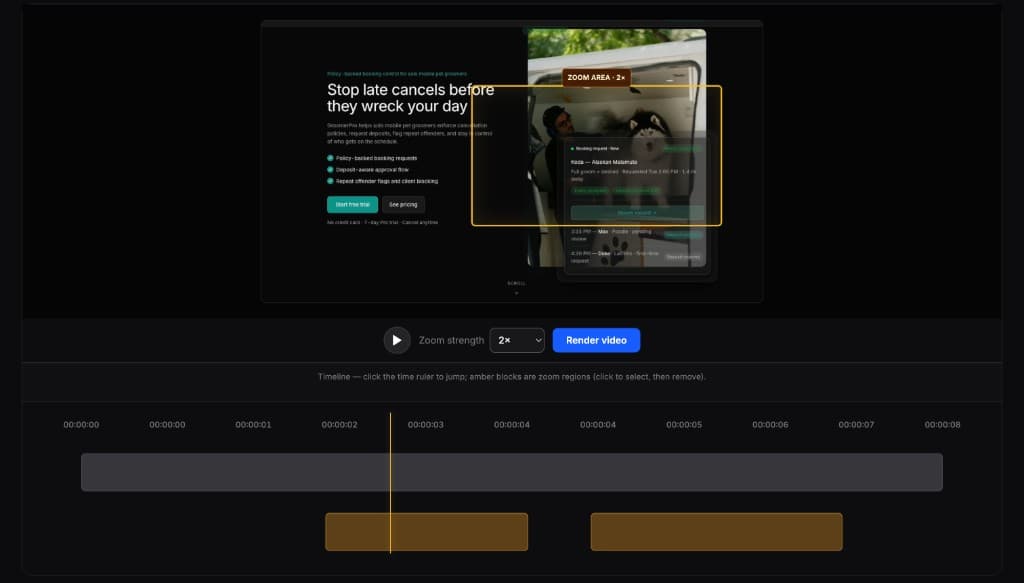
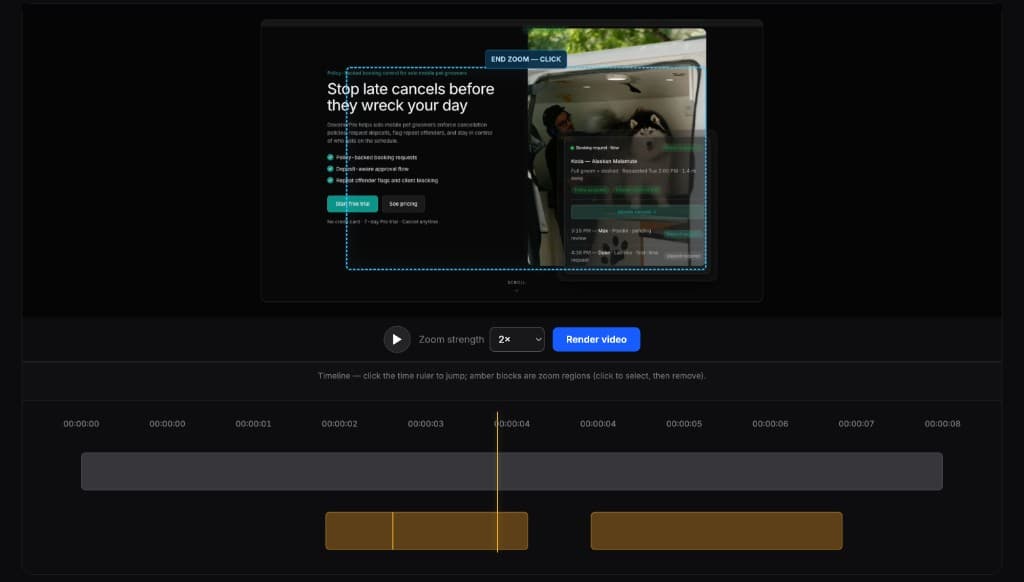
Editores completos são poderosos demais para esta tarefa. O FrameFocus serve a demos e tutoriais que precisam só de zoom.
Yes. FrameFocus can make YouTube tutorials easier to watch by zooming into important screen details.
Yes. You can zoom into code areas, terminal commands, browser previews, and UI interactions.
Adicione zoom suave e publique demos e tutoriais mais claros.