Can I add zoom effects to a screen recording after recording?
Yes. FrameFocus is designed to help you add zoom moments after recording, so you can improve clarity without re-recording your video.
Resumo
Screen recording zoom editor. FrameFocus helps you turn ordinary screen recordings into clearer videos by adding smooth zoom-in and zoom-out moments. Highlight the exact area viewers need to see, from buttons and menus to code, dashboards, and product workflows. When everything stays full-screen, viewers miss small details that matter. Zoom moments keep attention on the right part of the recording. Casos típicos: Product walkthrough clips, Step-by-step tutorials, Support recordings, Recorded lessons. Este guia explica como o FrameFocus, editor web de zoom para tela, ajuda a publicar demos e tutoriais mais claros.
When everything stays full-screen, viewers miss small details that matter. Zoom moments keep attention on the right part of the recording. O FrameFocus resolve no navegador com clique para focar: você marca a região exata, ajusta tempo e força do zoom e exporta sem timeline pesada. It works well for.
When everything stays full-screen, viewers miss small details that matter. Zoom moments keep attention on the right part of the recording.
Adicione zoom suave, mostre onde olhar e melhore tutoriais sem gravar de novo.
Product walkthrough clips
Step-by-step tutorials
Support recordings
Recorded lessons
Marque início e fim do zoom na prévia. Faixas âmbar na timeline mostram cada segmento.
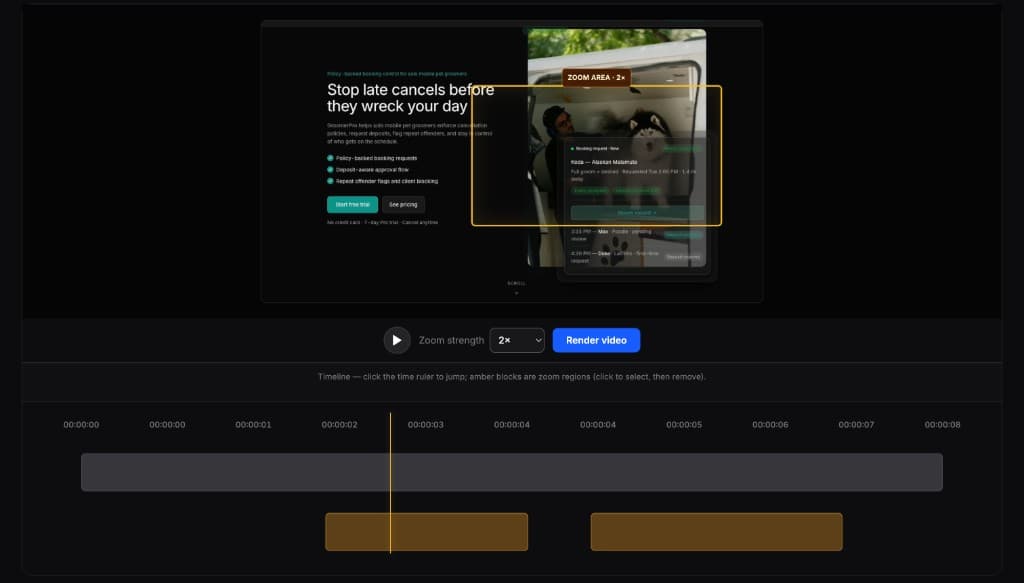
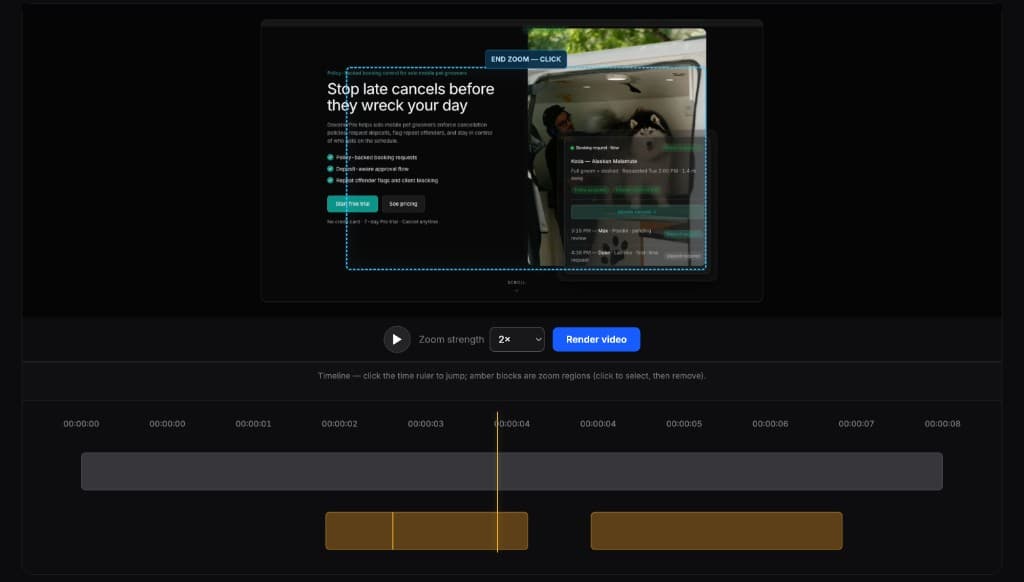
Editores completos são poderosos demais para esta tarefa. O FrameFocus serve a demos e tutoriais que precisam só de zoom.
Yes. FrameFocus is designed to help you add zoom moments after recording, so you can improve clarity without re-recording your video.
FrameFocus works best for software walkthroughs, product demos, tutorials, lessons, and support videos where viewers need to see specific UI details.
Adicione zoom suave e publique demos e tutoriais mais claros.