What does click-to-zoom mean?
It means you can select the area you want to zoom into instead of manually building complex zoom animations.
摘要
Click-to-zoom video editor. FrameFocus lets you create focus moments by clicking the area of the video you want viewers to notice. It is built for screen recordings where clarity matters more than complex editing features. Traditional editors are slow for simple zoom tasks. Click-to-zoom keeps editing focused and fast. 典型场景包括 Demo videos, Tutorials, Recorded lessons, Support walkthroughs。 本指南说明 FrameFocus 这款网页端屏幕缩放编辑器如何帮助团队产出更清晰的演示与教程。
Traditional editors are slow for simple zoom tasks. Click-to-zoom keeps editing focused and fast. FrameFocus 在浏览器里用「点击对焦」解决问题:点选观众应关注的区域,调整时长与强度,无需重录或重型时间线剪辑即可完成导出。 It works well for product demos, tutorials, lessons, and customer support videos..
Traditional editors are slow for simple zoom tasks. Click-to-zoom keeps editing focused and fast.
添加顺滑缩放,精确提示观看焦点,无需重录即可改善教程观感。
Demo videos
Tutorials
Recorded lessons
Support walkthroughs
在预览窗口标记缩放起点与终点;时间线上的琥珀色片段对应每一段缩放,便于微调时长。
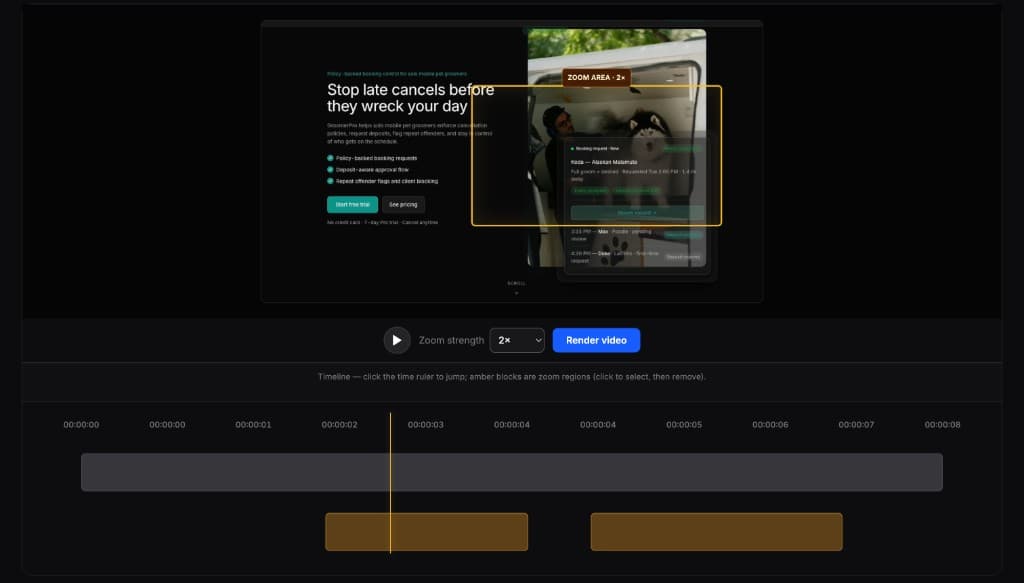
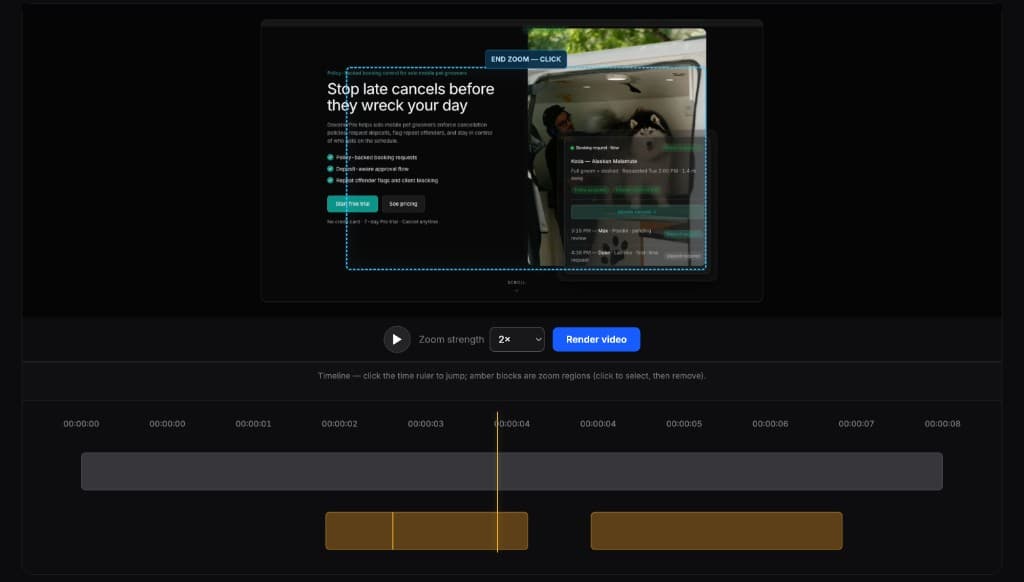
全能剪辑很强,但往往小题大作。FrameFocus 专注于演示、教程与指引所需的缩放剪辑。
It means you can select the area you want to zoom into instead of manually building complex zoom animations.
FrameFocus is mainly designed for screen recordings, product demos, tutorials, and lesson videos.