Can FrameFocus help with help center videos?
Yes. FrameFocus can make help center walkthroughs easier to follow by highlighting the exact area customers need to see.
Resumen
Support video editor for customer walkthroughs. Support videos should reduce confusion, not create more questions. FrameFocus helps you make walkthroughs clearer by zooming into the exact step customers need to follow. Support recordings often miss critical click locations. Zoom moments reduce repeat tickets and confusion. Casos típicos: Show customers where to click, Explain account settings, Walk through troubleshooting, Clarify help center videos. Esta guía explica cómo FrameFocus, editor web de zoom para pantalla, ayuda a equipos y creadores a publicar demos y tutoriales más claros.
Support recordings often miss critical click locations. Zoom moments reduce repeat tickets and confusion. FrameFocus lo resuelve en el navegador con clic para enfocar: indicas la región exacta, ajustas tiempo e intensidad de zoom y exportas sin grabar de nuevo ni timelines pesados. It works well for product demos, tutorials,.
Support recordings often miss critical click locations. Zoom moments reduce repeat tickets and confusion.
Añade zoom suave, muestra exactamente dónde mirar y mejora tutoriales sin volver a grabar.
Show customers where to click
Explain account settings
Walk through troubleshooting
Clarify help center videos
Reduce repeated support questions
Marca inicio y fin del zoom en la vista previa. Las regiones ámbar en la línea de tiempo muestran cada tramo para ajustar tiempos con confianza.
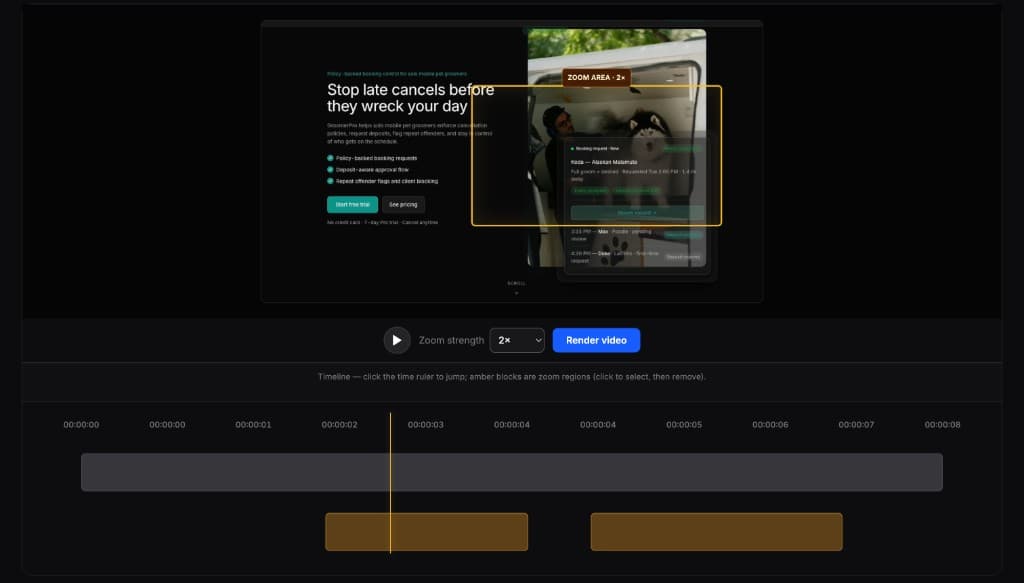
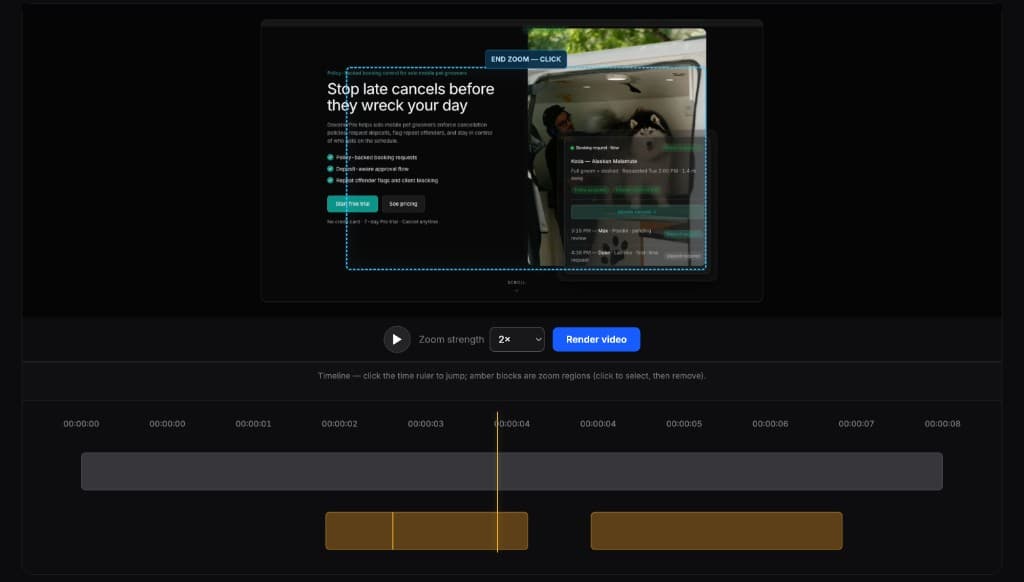
Los editores completos son potentes pero demasiado para esta tarea. FrameFocus sirve para demos, tutoriales y walkthroughs que solo necesitan zoom.
Yes. FrameFocus can make help center walkthroughs easier to follow by highlighting the exact area customers need to see.
Yes. Customer success teams can use FrameFocus to create clearer onboarding and support walkthroughs.
Añade zoom suave, corrige grabaciones confusas y publica demos y tutoriales más claros.