What makes a screen recording hard to follow?
Screen recordings become hard to follow when the important detail is too small, too far from the cursor, or surrounded by too much visual noise.
Resumen
Make screen recordings easier to follow. A screen recording can be technically correct but still hard to watch. FrameFocus helps you guide your viewer’s attention so they always know where to look. Unclear recordings force viewers to replay and guess. Focus moments remove that friction. Casos típicos: Product demos, How-to videos, Lesson recordings, Support walkthroughs. Esta guía explica cómo FrameFocus, editor web de zoom para pantalla, ayuda a equipos y creadores a publicar demos y tutoriales más claros.
Unclear recordings force viewers to replay and guess. Focus moments remove that friction. FrameFocus lo resuelve en el navegador con clic para enfocar: indicas la región exacta, ajustas tiempo e intensidad de zoom y exportas sin grabar de nuevo ni timelines pesados. It works well for product demos, tutorials, lessons,.
Unclear recordings force viewers to replay and guess. Focus moments remove that friction.
Añade zoom suave, muestra exactamente dónde mirar y mejora tutoriales sin volver a grabar.
Product demos
How-to videos
Lesson recordings
Support walkthroughs
Marca inicio y fin del zoom en la vista previa. Las regiones ámbar en la línea de tiempo muestran cada tramo para ajustar tiempos con confianza.
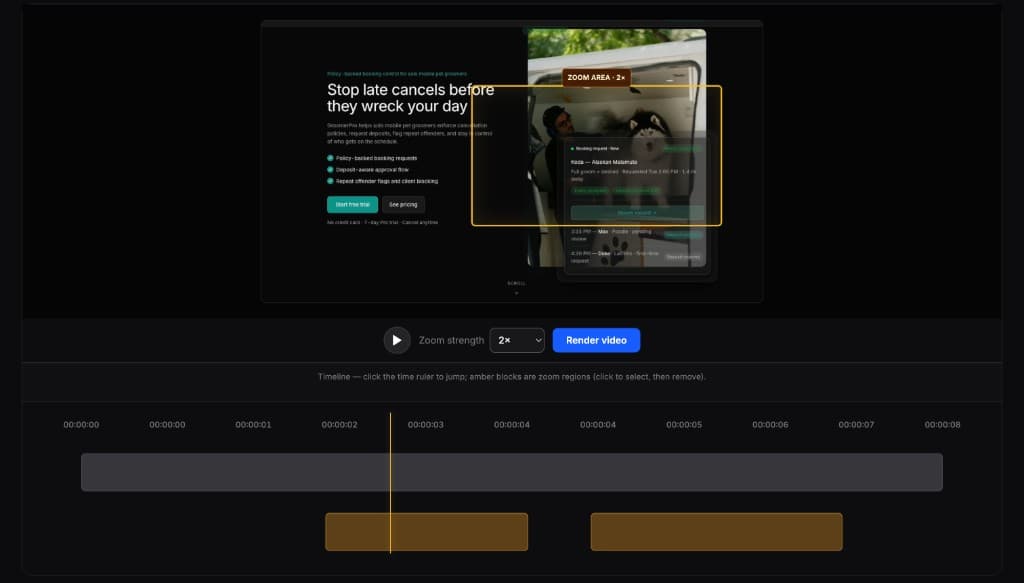
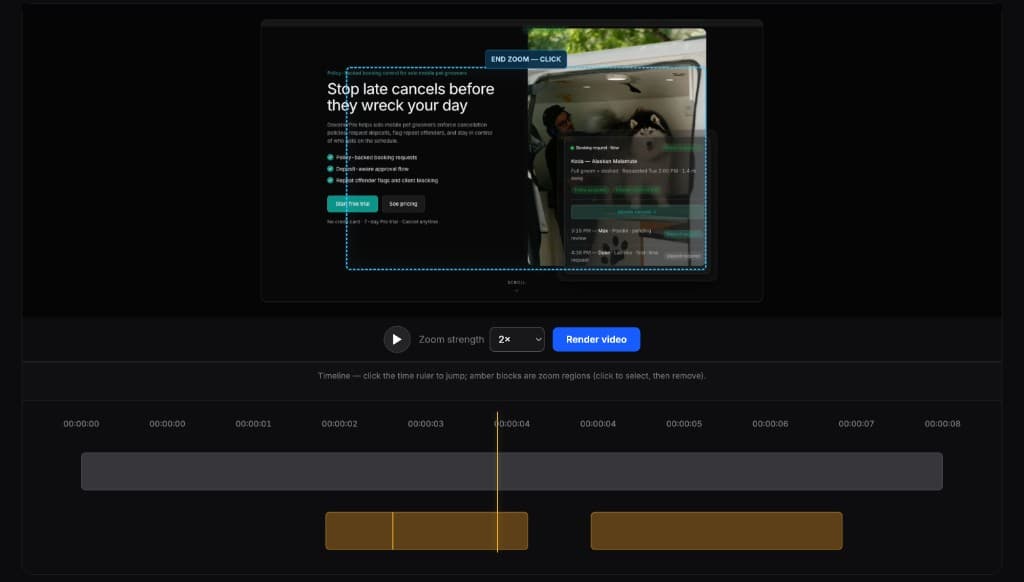
Los editores completos son potentes pero demasiado para esta tarea. FrameFocus sirve para demos, tutoriales y walkthroughs que solo necesitan zoom.
Screen recordings become hard to follow when the important detail is too small, too far from the cursor, or surrounded by too much visual noise.
FrameFocus lets you add zoom moments that focus attention on the most important part of the screen.
Añade zoom suave, corrige grabaciones confusas y publica demos y tutoriales más claros.